Inventory
Routing rules
Spread one pile of items across many destinations by rule, and save the rulesets you reuse.
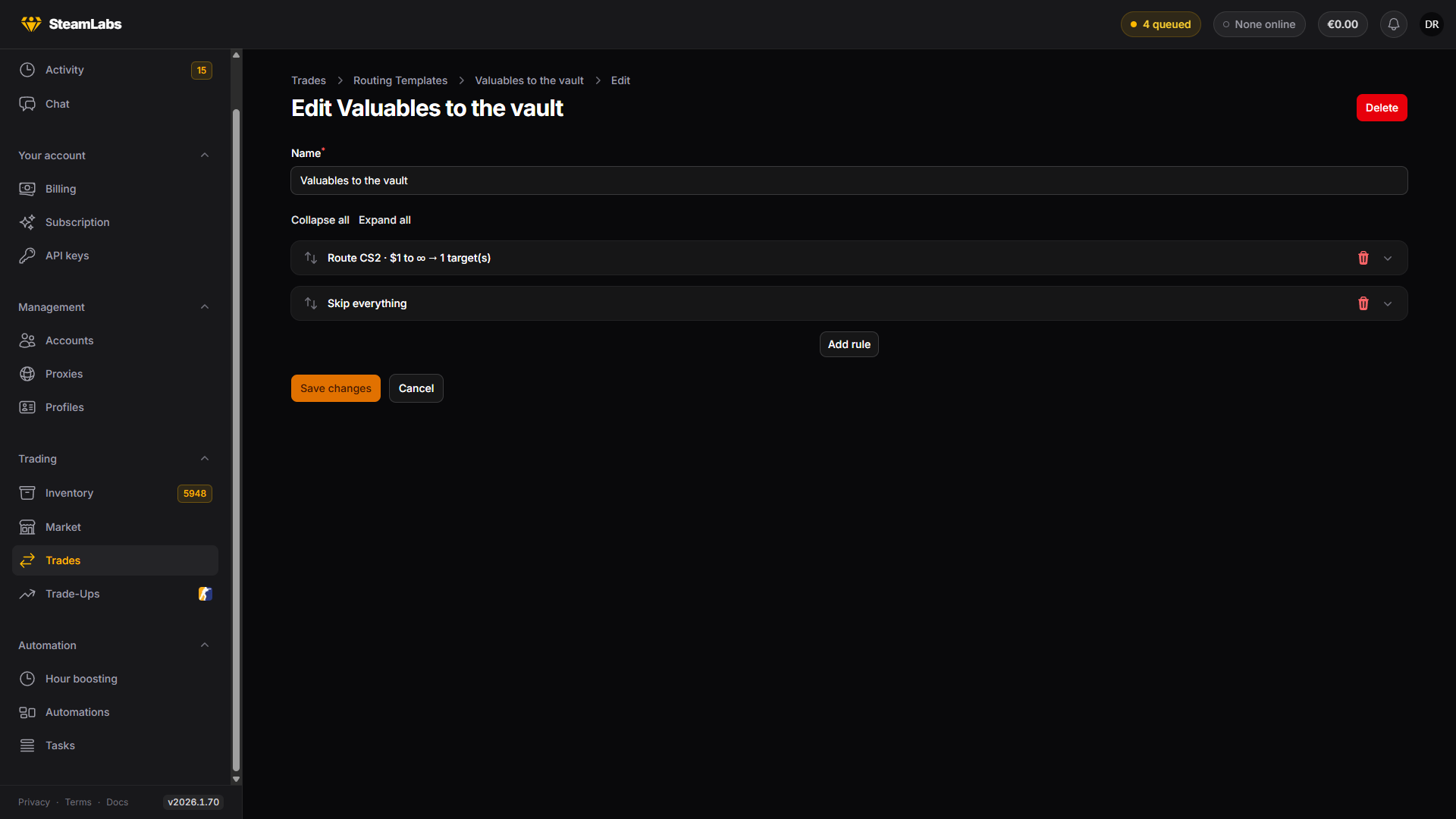
Routing rules answer "where does each item go" when the answer is not one account. You write an ordered list of rules, and every item follows the first rule it matches.
Rules show up in three places, and behave identically in all of them: the Send items modal on Inventory, the Trade Items task in Advanced mode, and the Routing Templates page under Trades.
How a rule list is read
Rules run top to bottom, first match wins. Each item is tested against every rule in order, and the first rule whose conditions all hold decides what happens to it.
Two consequences worth holding on to:
- A rule with no conditions matches everything, so it belongs last
- An item matching no rule stays exactly where it is, it is not an error
Put your narrow rules first and your catch-all at the bottom.
Matching items
Match items by turns conditions on. Every condition you turn on must hold, so they narrow together.
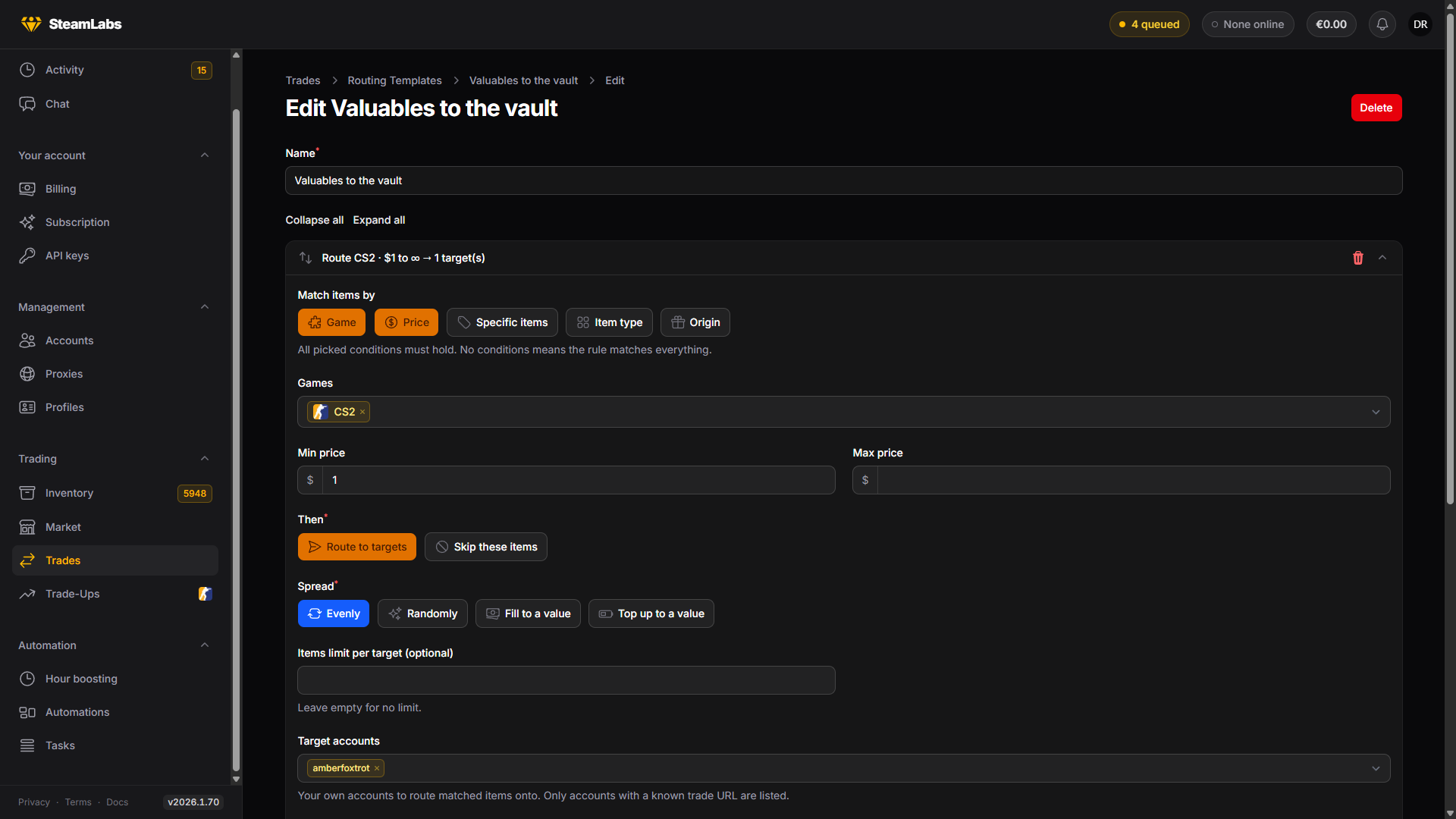
| Condition | Matches on |
|---|---|
| Game | CS2, TF2 or Steam items |
| Price | A minimum, a maximum, or both. Unpriced items count as $0 |
| Specific items | Named items, searched from the catalogue |
| Item type | Coarse types: knife, gloves, container, sticker, agent, and so on |
| Origin | How a CS2 item was obtained: a timed drop, purchased, traded, found in a crate |
Prices are the Steam Community Market price, the same number the inventory grid shows.
What the rule does
Then picks one of two actions.
Route to targets sends matched items to that rule's destinations. Skip these items leaves them alone, and stops any rule below from seeing them. A skip rule at the top is how you protect things: put your knives behind a skip and no later catch-all can move them.
Where they go
A routing rule takes destinations in four flavours, and you can mix them freely:
- Target accounts: your own accounts. Only accounts whose trade URL we know are listed
- Target tags: every account carrying any of these tags
- Target groups: every account currently in any selected group
- External trade URLs: one Steam trade URL per line, for destinations outside SteamLabs
Group targets are also resolved each time. Unlike tags, an account can belong to only one group, so groups work well for exclusive destination pools.
Spreading over the targets
Spread decides how matched items divide across a rule's destinations.
| Spread | What it does |
|---|---|
| Evenly | Round-robins matched items across the targets |
| Randomly | Each item goes to a random target that still has room |
| Send up to a value | Packs priciest first, up to Value per target, ignoring what the destination already holds |
| Until inventory reaches | Same packing, but counts what an account already holds toward Total inventory value per target |
Send up to a value means "put $50 of items on each account this run". Until inventory reaches means "bring each account up to $50 total". Use Until inventory reaches when you run the same rules repeatedly. It will not keep piling value onto accounts that already have it, including items still in CS2 trade hold.
They differ in which side of the number an account lands on. Send up to a value stays under it. Only whole items go into a trade, so a $50 target packed with $12 items stops at $48 and leaves the last $2 unspent. Until inventory reaches crosses it. An account still short after packing takes one more item, so those same $12 items carry it to $60.
The crossing item is the cheapest one left over. If everything left is expensive it can overshoot by a lot, so use Items limit per target or a Max price condition to hold it down.
Items limit per target caps how many items any one destination receives. Leave it empty for no limit.
The preview
Rough preview counts what the current rules would move before you commit: per rule, how many items match and how many would actually be sent, plus a line for items that stay put because no rule matched, and a total with an approximate value.
It is an estimate, and it says so. Accounts whose trade URL we do not know are dropped from the plan when the rules actually run, not when you write them.
Saving rules to reuse
Save these rules as a template stores the current list under a name. Apply a saved template loads one back into the builder, so you can start from it and change one rule.
Saved templates live on Trades → Routing Templates, where you can edit and delete them.