Getting Started
Introduction
What SteamLabs is, how it works, and where to start.
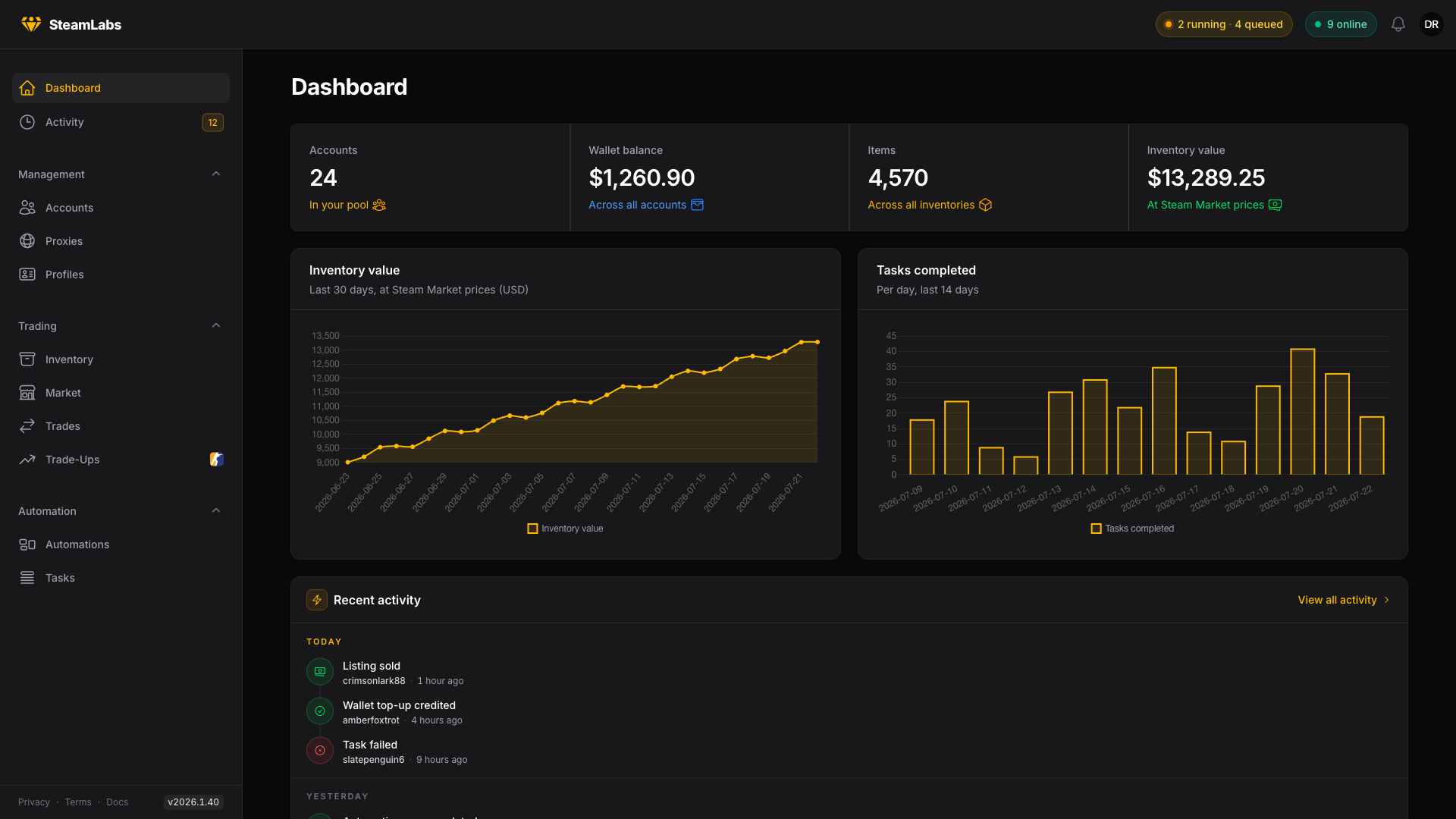
SteamLabs is designed to manage and automate your Steam accounts at scale. Add your steam accounts, assign proxies, and steamlabs can now do most of the work you normally have to do by hand for you. Manage your inventories, update profile settings & privacy, manage your storage units, automate selling on third party marketplaces & alot more.
CS2 is the main focus, so inventories, trade-ups, storage units, and the marketplace integrations are built around CS2 items. Everything that is not game specific (logins, profiles, trading, wallet) works for any Steam account. We also do support and fetch inventories of steam and TF2 aswell. We also show pricing for these items.
How it works
- Add a Steam account and at least one proxy.
- Start a task from the account, from a selection in a table, or from the Tasks page.
- A worker signs the account in through its proxy and runs the job.
- The task moves from Queued to Running, then finishes as Completed, Failed, or Cancelled.
Start the same task for several accounts and you get a batch: one row in the Tasks list holding a child task per account, with a live count of what completed, failed, or was cancelled.
What is in the dashboard
Management
- Accounts: add accounts one by one, by CSV, or from mobile authenticator maFiles. Tag and filter them, then open one for a detailed overview of its details: credentials, trades, marketplaces, CS2 state, games, inventory, tasks, and activity.
- Proxies: store, test, and group the proxies your accounts log in through.
- Profiles: build reusable profile presets (name, custom URL, summary, country, avatar) and hand them to accounts with a Set Profile task.
Trading
- Inventory: every item across every account in one place, optionally filtered by game, account, tag, tradability, and more. Select items to send, sell, store, or trade up.
- Market: list items on Steam, CSFloat, Market.CSGO, Skinport, or DMarket using pricing rules, or sell them outright to Skin.Land, then track listings, sales, and history per marketplace.
- Trades: every trade offer active or in the past of all your accounts, plus routing templates that spread items across destination accounts by rule.
- Trade-Ups: clear low-value CS2 skins out of an inventory, or hand-pick ten inputs and check the outcome odds before you commit.
Automation
- Automations: build a n8n style flow on a canvas (pick accounts, add conditions, run tasks, send notifications), then let it run on a schedule.
- Tasks: create work for one account or for thousands, and follow it live.
Getting started
Register an account on the site and verify your email.
From there the short version is: add proxies, add accounts, run Refresh Details, then start your first real task(s).
Quick start walks through it step by step. Proxies is the longer version of the first step.
Finding your way around
The sidebar holds every guide in reading order, and the previous / next links at the bottom of each page follow that same order.
Building against the user API instead of the dashboard? The API Reference is its own site, with its own search, covering authentication, rate limits, and every endpoint. The switcher at the top of the page takes you there and back.