Hour boosting
Overview
Run playtime on your accounts: how plans work, and what the live console shows.
Hour boosting signs your accounts in to Steam and leaves them playing, so their playtime goes up without anyone touching a keyboard. Hour boosting sits in the Automation group and has two tabs: Live and Plans.
How it works
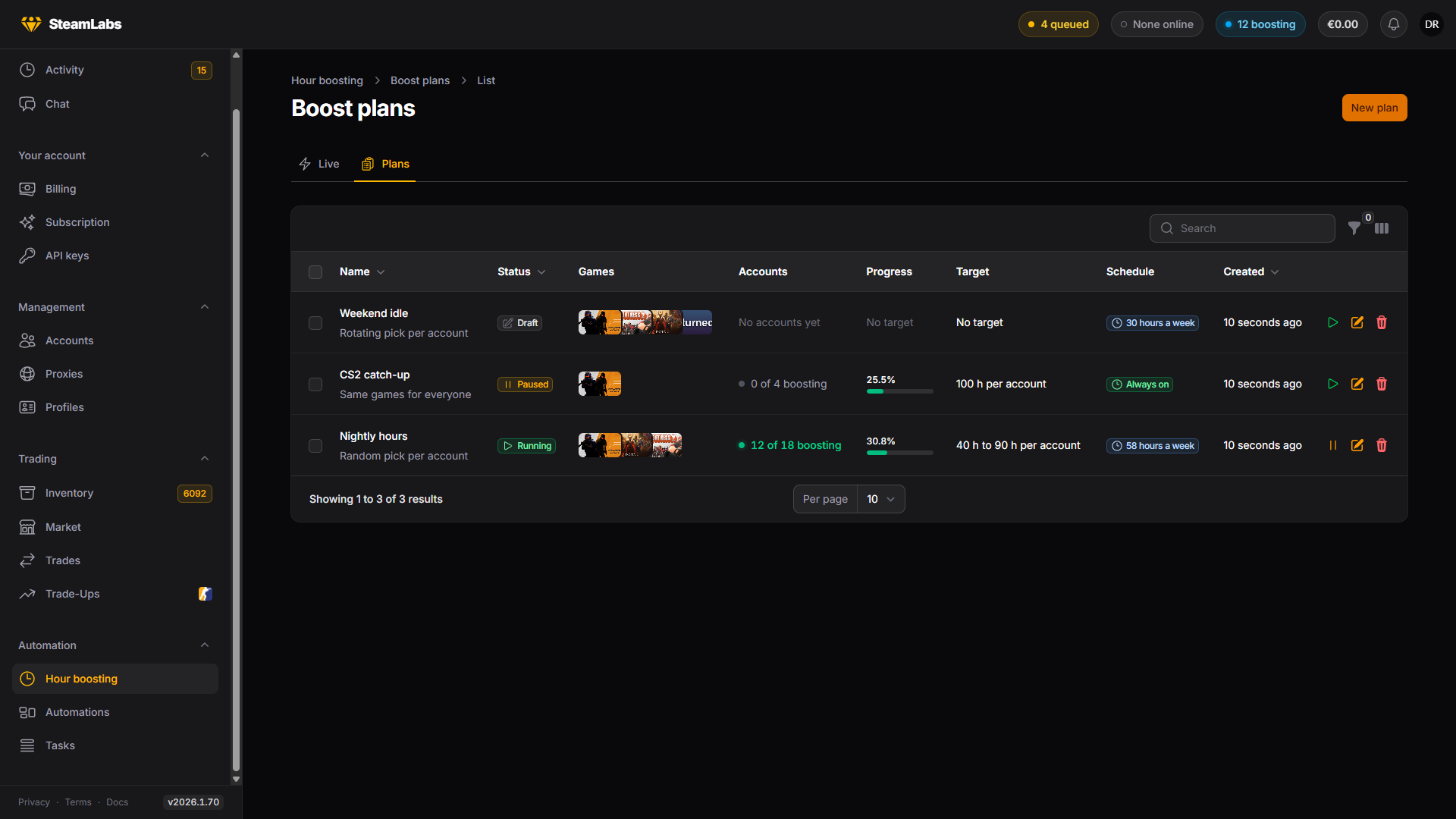
A plan holds the decisions: which games to play, how long each account should run for, when the plan is allowed to run, and how many accounts may play at once. Accounts are then attached to the plan (by hand, or by linking an account group that the plan follows), and the plan is started.
From there SteamLabs does the placing. Each attached account waits for a free boost slot, signs in through its proxy, starts the games, and reports its playtime back while it runs. When it reaches its target it signs out on its own.
An account can be on one plan at a time. Attaching it to another plan means taking it off the first.
Plan statuses
| Status | Meaning |
|---|---|
| Draft | Not started yet. Nothing is signed in |
| Running | Accounts are being signed in and hours are counting |
| Paused | Held. Accounts are signed out and progress is kept |
| Completed | Every account reached its target |
| Archived | Kept for its history, will not run again |
Pausing never loses progress. Accounts sign out, keep every minute they earned, and pick up where they left off when you resume.
Account states
Inside a plan, each account carries its own state.
| State | Meaning |
|---|---|
| Waiting | Queued for a free slot |
| Starting | Signing in to Steam |
| Boosting | Signed in and playing, hours counting |
| Paused | Held by the plan, the schedule, your limit, or waiting for its next weekly session |
| Completed | Reached its target and signed out |
| Retrying soon | A start failed, it will try again shortly |
| Error | Could not start after several tries |
| Stopped | Stopped by you, still attached to the plan |
Waiting is the normal state for a large plan, not a problem. See Concurrency.
The live console
Live is every account boosting right now, across all your plans, with a card each showing the games it is playing, how far along it is, and which worker holds the session.
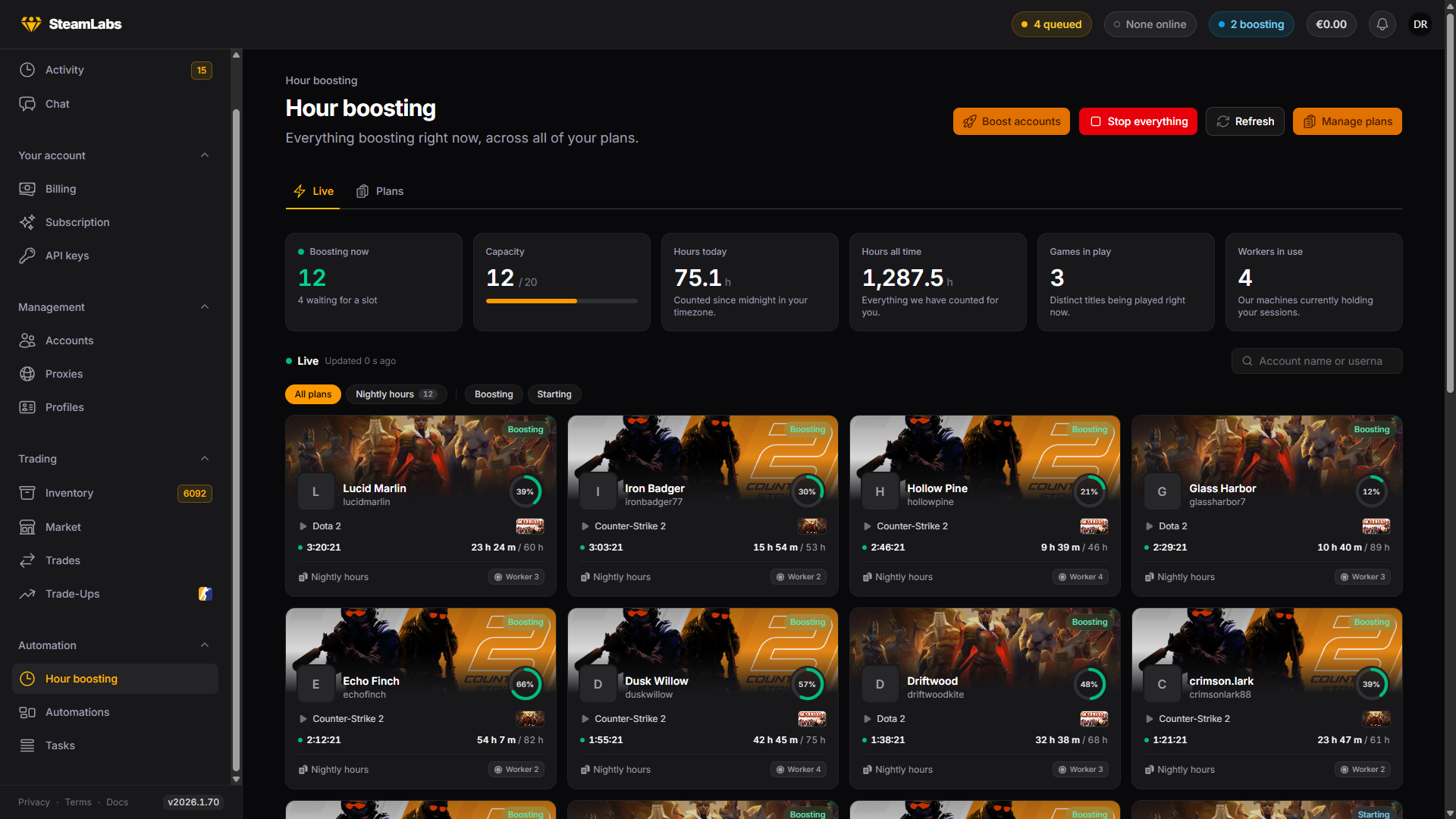
The stats along the top track accounts boosting now, hours today, hours all time, distinct games in play, workers in use, and your capacity in use against its ceiling.
When nothing is boosting the page says why rather than just showing an empty grid: no plans yet, everything queued, outside the schedule window, paused, completed, or still a draft. A closed schedule also tells you when the next window opens.
Stop everything on this page signs out every account you have boosting or queued in one pass. Hours already counted are kept.
Where the hours show up
Each account's own page has an Hour boosting section: the plan it is attached to, its state, the games it is playing, and the hours counted for it, broken down by game.
Recent runs at the bottom of the live console is the run history, including why each run ended, whether that was the target being reached, you stopping it, a closed schedule, the end of a weekly random session, or a worker restart.