Inventory
Incoming offers and confirmations
Answer offers your accounts receive, and clear the Steam mobile confirmations your own trades create.
Sending is only half of trading. Offers arrive too, and every offer your accounts send has to be confirmed on the mobile authenticator before Steam will move anything. Both live on the account page.
One account's offers
Open an account and go to its Trades tab. The panel splits into Incoming and Sent, with the items on each side of every offer.
Refresh asks Steam what this account's offers look like right now. Nothing here is live, so refresh first if you are acting on something you expect to have changed.
Per offer you get Accept, Decline and Cancel, whichever the offer's state allows. Accept all and Decline all answer every incoming offer on the account in one task, which is the point of doing it here rather than row by row on Trades.
The panel is disabled with an explanation when the account has no identity secret, since an account that cannot confirm cannot meaningfully answer offers either.
Mobile confirmations
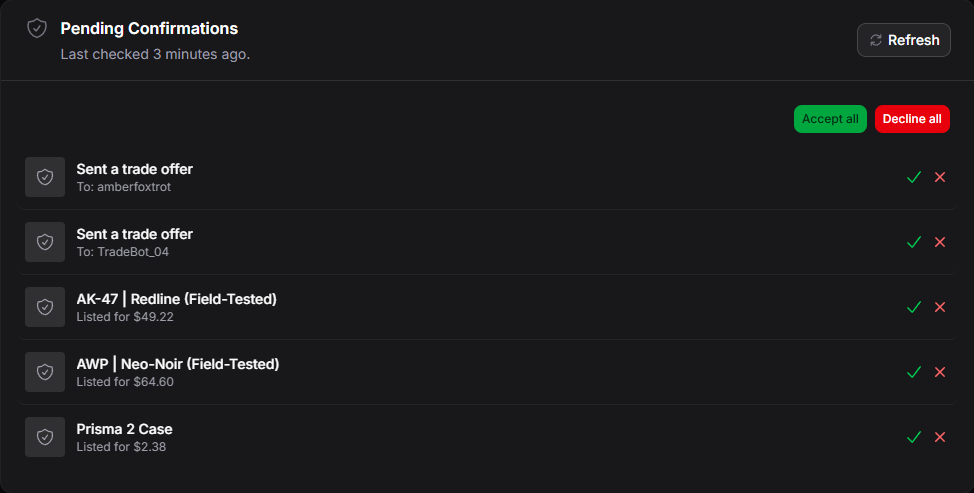
Steam requires a mobile confirmation for outgoing trades and for market listings. SteamLabs answers them with the account's identity secret, on the Overview tab under Pending Confirmations.
Refresh pulls the current list from Steam. Each confirmation shows what it is for, and you can Accept or Decline individually, or Accept all / Decline all.
What you see is a snapshot
Steam does not offer a durable list of confirmations, so what the panel shows is the result of the last fetch, with Last checked beside it.
That means an empty list means "nothing was waiting when we last looked", not "nothing is waiting". Refresh before you conclude anything from an empty panel.
Doing it in bulk
Confirmations and incoming offers are answered per account, not fleet-wide, because both are session work against one Steam account.
The Accept all confirmations action on the accounts table is the closest thing to a bulk version: it queues one confirmation task per account you selected.