库存
路由规则
按规则把一堆物品分到多个目标,并保存你会反复使用的规则集。
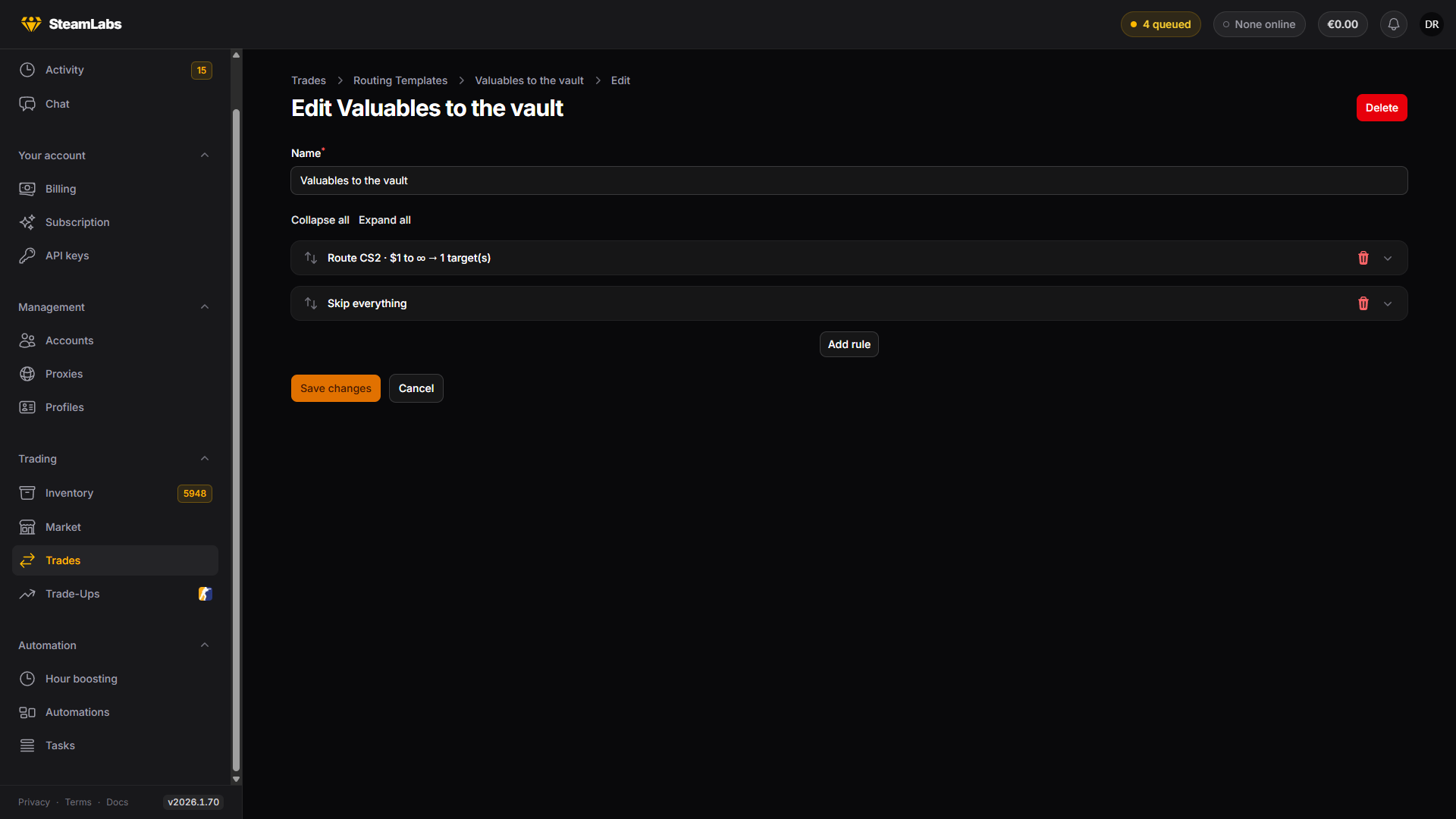
当答案不是“一个账号”时,路由规则回答“每件物品去哪里”。你写一份有序的规则列表,每件物品走它匹配到的第一条规则。
规则出现在三个地方,行为完全相同:Inventory 上的 Send items 弹窗、Advanced 模式下的 Trade Items 任务,以及 Trades 下的 Routing Templates 页面。
规则列表如何读取
规则从上到下执行,先匹配的生效。每件物品按顺序对照每一条规则,第一条所有条件都成立的规则决定它的去向。
两条值得记住的后果:
- 没有任何条件的规则会匹配所有物品,所以它应该放在最后
- 匹配不到任何规则的物品留在原地,这不是错误
把窄规则放前面,兜底规则放最下面。
匹配物品
Match items by 用于打开条件。你打开的每一项都必须成立,所以它们是一起收窄。
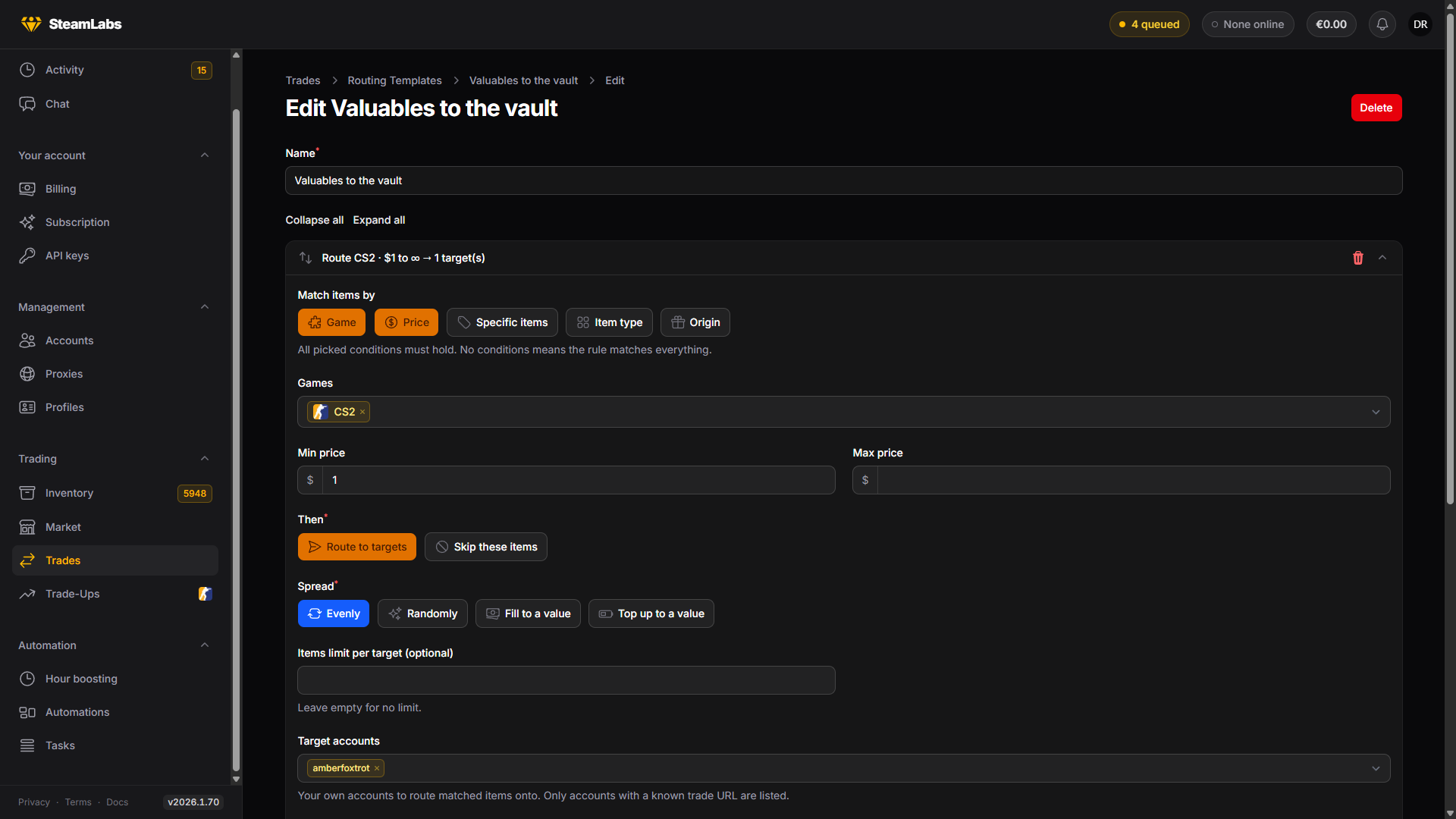
| 条件 | 匹配依据 |
|---|---|
| Game | CS2、TF2 或 Steam 物品 |
| Price | 最低、最高,或两者。没有定价的物品按 $0 计 |
| Specific items | 具名物品,从目录中搜索 |
| Item type | 粗分类:刀、手套、容器、贴纸、探员等等 |
| Origin | CS2 物品如何获得:限时掉落、购买、交易、从箱子开出 |
价格是 Steam 社区市场价,与库存网格显示的数字相同。
规则做什么
Then 二选一。
Route to targets 把匹配的物品发到该规则的目标。Skip these items 让它们留在原地,并且后面的规则再也看不到它们。把跳过规则放在最上面用来保护东西:把刀放进跳过规则,后面的兜底规则就动不了它们。
它们去哪里
一条路由规则可以用四种目标,并且可以自由混用:
- Target accounts:你自己的账号。只有我们知道交易链接的账号会出现在列表中
- Target tags:带有这些标签中任意一个的每个账号
- Target groups:当前属于任一所选组的每个账号
- External trade URLs:每行一个 Steam 交易链接,用于 SteamLabs 以外的去处
组目标同样每次运行时解析。与标签不同,一个账号只能属于一个组,所以组很适合互斥的目标池。
在目标之间分摊
Spread 决定匹配的物品如何分到该规则的各个目标。
| 分摊 | 做什么 |
|---|---|
| Evenly | 把匹配的物品轮流分给各个目标 |
| Randomly | 每件物品去一个仍有空位的随机目标 |
| Send up to a value | 先装最贵的,直到达到 Value per target,忽略目标里已经有什么 |
| Until inventory reaches | 同样的装箱方式,但会把账号已有的东西计入 Total inventory value per target |
Send up to a value 的意思是“这次给每个账号放 50 美元的物品”。Until inventory reaches 的意思是“把每个账号补到总共 50 美元”。反复跑同一套规则时用 Until inventory reaches。它不会继续往已经够了的账号上堆价值,包括仍在 CS2 交易冻结中的物品。
它们的差别在于账号会落在数字的哪一侧。Send up to a value 会停在它下面。只有整件物品能进入交易,所以 50 美元的目标用 12 美元的物品装箱会停在 48 美元,剩下 2 美元用不上。Until inventory reaches 会越过它。装箱后仍不够的账号会再拿一件,于是同样那些 12 美元的物品会把它带到 60 美元。
越过目标的那一件是剩下最便宜的。如果剩下的都很贵,超出会很大,所以用 Items limit per target 或 Max price 条件把它压住。
Items limit per target 限制任何一个目标最多收到多少件。留空表示不限制。
预览
Rough preview 在你提交前统计当前规则会移动什么:每条规则匹配多少件、实际会发出多少件,外加一行因为没有规则匹配而留在原地的物品,以及带大约价值的合计。
这是估算,页面也会这么写。我们不知道交易链接的账号会在规则真正运行时从计划中去掉,而不是在你编写时。
保存规则以便复用
Save these rules as a template 把当前列表存成一个名称。Apply a saved template 把它加载回构建器,这样你可以基于它改其中一条。
已保存的模板在 Trades → Routing Templates,你可以在那里编辑和删除。