Inventory
Trade-ups
Turn ten CS2 skins into one, to free inventory slots or to chase a better item.
A CS2 trade-up contract consumes 10 skins of one rarity tier and returns 1 skin of the tier above. Every contract frees 9 inventory slots, which is why it is the standard way to clear out low-value drops.
Trade-Ups sits in the Trading group and has three tabs: Clear space, Build a contract, and Trade-Up History.
The rules a contract has to follow
These come from CS2, not from SteamLabs:
- Exactly 10 items, all on the same account
- All 10 share one rarity tier
- StatTrak and normal items cannot be mixed
- The outcome is random, drawn from the next tier up in the collections your inputs came from
- Covert is the exception: 5 items, and the outcome is a knife or gloves
Items are ineligible while they are in a storage unit, listed on a marketplace, staged for another contract, or still in trade protection.
Clearing space
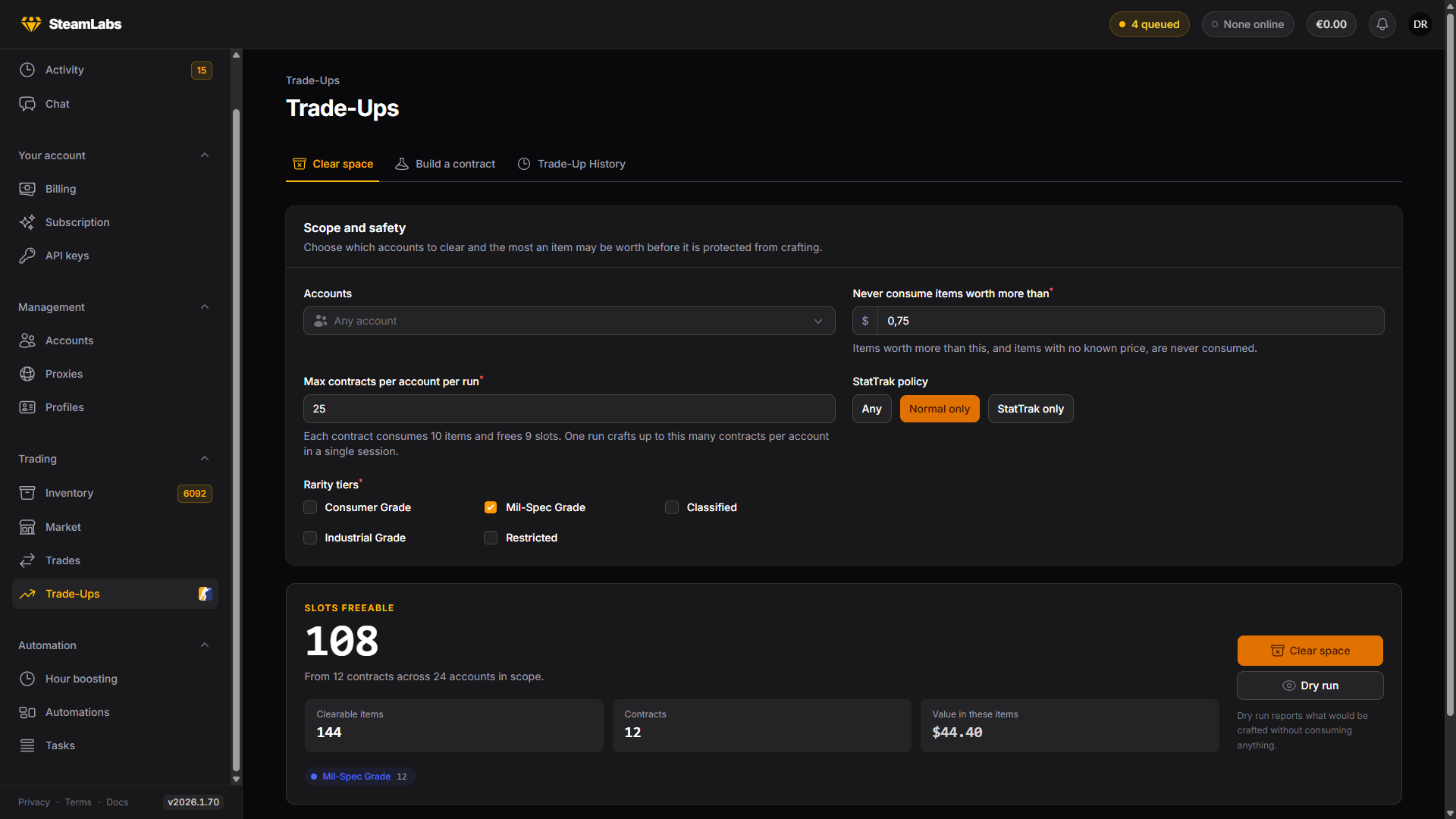
Clear space is the bulk tool. Pick your accounts, set the price rail, and it scans the whole scope for contracts it can craft.
Never consume items worth more than is the safety rail, and it is the setting that matters most here. Items above that price are never touched, and neither are items with no known price. The page then shows how many contracts are ready, how many slots that frees, and what those items are worth.

Clearing ignores whether a contract is profitable. It is optimising for free slots, and it burns the cheapest eligible items to get them.
Chasing value
Best value contracts, further down the same page, is the opposite job: for each account it finds the highest expected-value contract available right now, across every tier your StatTrak policy allows. Nothing is crafted by the scan, and you queue the ones you like individually.
Expected value is the outcome pool's average worth against what the inputs cost. A return above 100% means the average outcome beats the inputs, which is not the same as this contract paying off.
Building one by hand
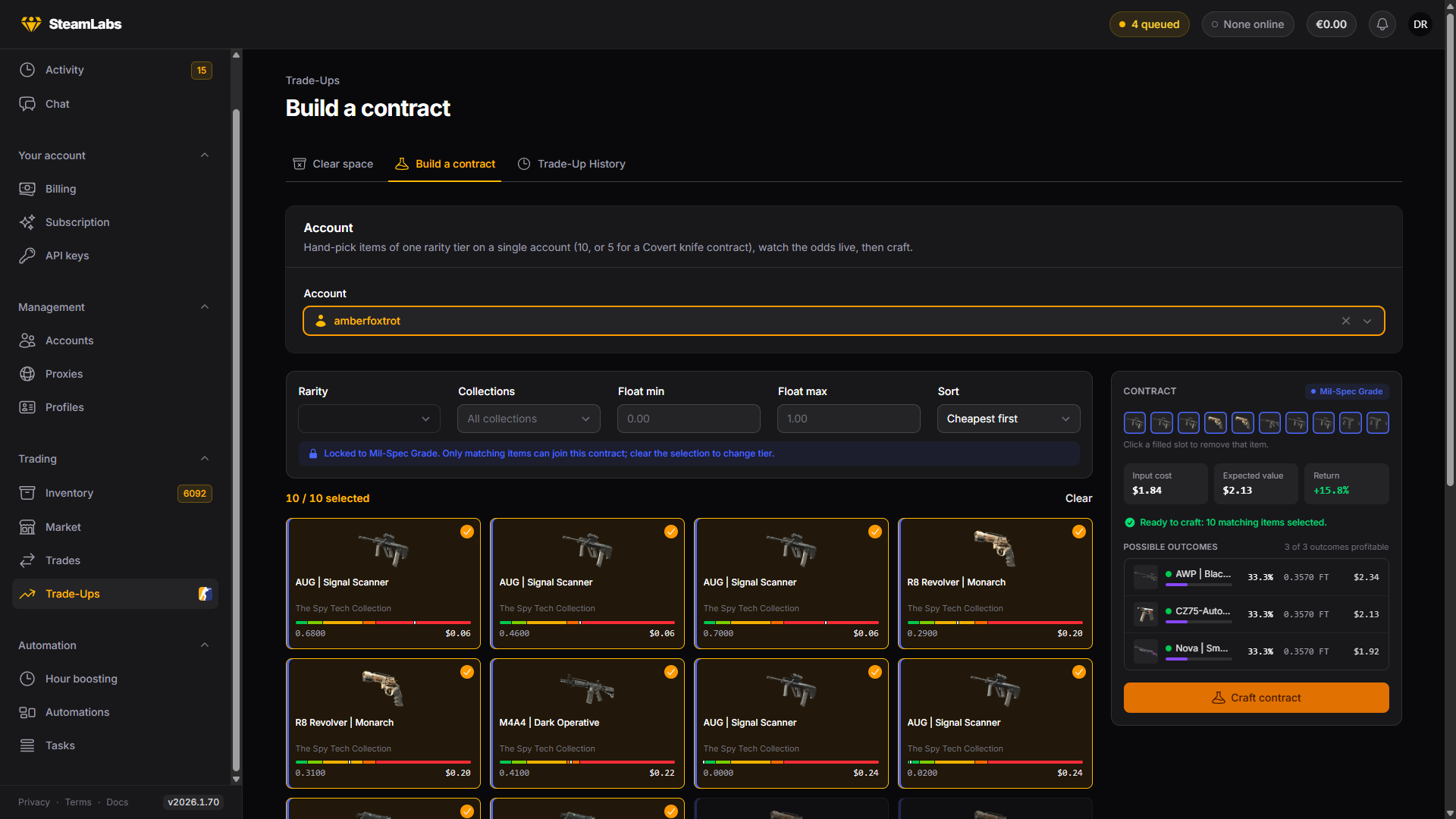
Build a contract is for picking the inputs yourself. Choose an account and its eligible items load as a pool you can filter by rarity, collection and float range.
Your first pick locks the contract to that item's tier and StatTrak state, so an illegal contract cannot be assembled. As you fill slots, the panel recomputes the input cost, the expected value, and the full list of possible outcomes with their odds.

Float matters here. The output's float is derived from the inputs, so picking low-float inputs is how people aim at a Factory New outcome.
From an inventory selection
The Trade up button on the Inventory selection bar crafts contracts from what you have already selected. It groups your selection per account, forms as many complete 10-item contracts as the items allow, and leaves the remainder alone.
This is the quickest route when you were already looking at the items you want gone.
History
Trade-Up History is every contract you have run: its inputs, its output, what it cost, what it realized, and the profit or loss. The stats above the table track total realized value, net P/L, and your hit rate, meaning the share of completed contracts whose output beat its inputs.
| Status | Meaning |
|---|---|
| Pending | Queued, inputs reserved |
| Crafting | The worker is in game running it |
| Completed | Crafted, with the outcome recorded |
| Failed | The craft did not complete, inputs untouched |
| Reconciled | The inputs were already gone when the worker looked, so nothing was crafted |
| Cancelled | Cancelled before crafting, inputs released |
Open a row for the contract in full: every input, the outcome you actually received with its float, and the odds table as it stood when the contract was planned.