Hour boosting
Creating a plan
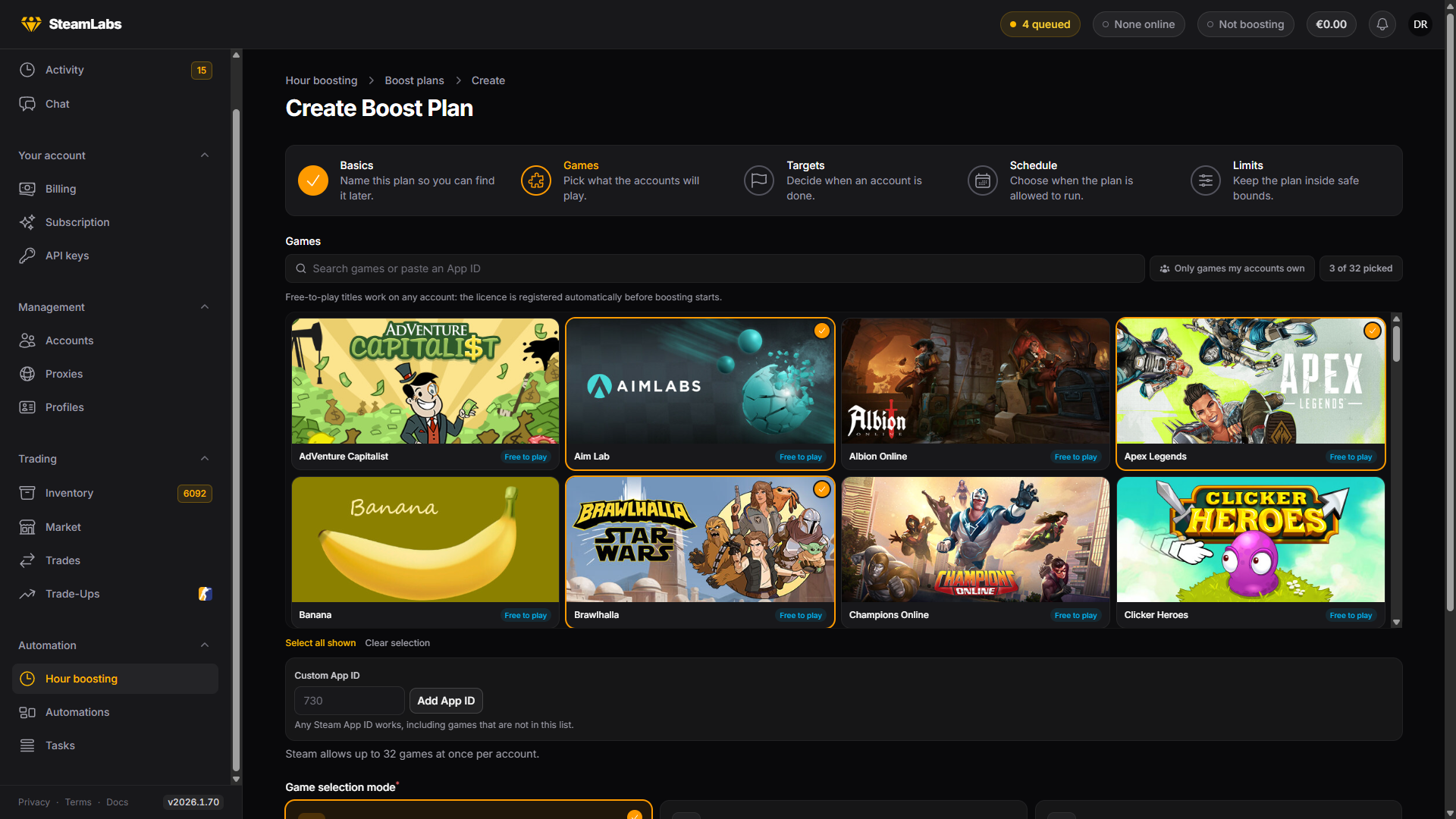
The five steps of the plan wizard: basics, games, targets, schedule and limits.
Plans → New plan opens a five-step wizard. Only the games step has a required choice, so you can accept the defaults for the rest and tune them later.

Basics
Just a name, and only you see it. Name it after what it is for ("Weekend hours", "CS2 grind") since this is what you will be reading on the plans list.
Games
Pick what the accounts play. Search by name or paste an App ID, and use Only games my accounts own to narrow the list.
Two badges matter here:
- Free to play: works on any account. The licence is registered automatically before boosting starts
- Needs a licence: Steam does not hand this one out, so an account only counts hours for it if it already owns it
Custom App ID takes any Steam App ID, including titles not in the list. Custom game name is free text shown on the profile as a non-Steam game.
Game selection mode decides how your pool is split:
| Mode | What each account plays |
|---|---|
| Same games for everyone | All of the games you picked |
| Random pick per account | A random handful, chosen once when it starts |
| Rotating pick per account | Like random, but swapped for a fresh selection on a timer |
Random and rotating both take a Games per account count, and rotating additionally takes a swap interval, minimum 5 minutes. Use these when you want a fleet's playtime spread across a catalogue rather than every account showing the same title.
Show accounts as sets the persona state while boosting: online, away, snooze, invisible or offline. Hours count the same either way.
Targets
Target decides when an account is done:
| Target | Behaviour |
|---|---|
| No target | Runs until you stop it |
| Fixed target | Every account stops after the same number of hours |
| Random target | Each account draws its own target inside a range you set |
A random target is the useful one for a fleet. With a fixed target every account finishes at roughly the same moment, which is both a large simultaneous sign-out and a very uniform-looking set of profiles.
Targets are entered in hours here. Progress against them is tracked per account.
Schedule
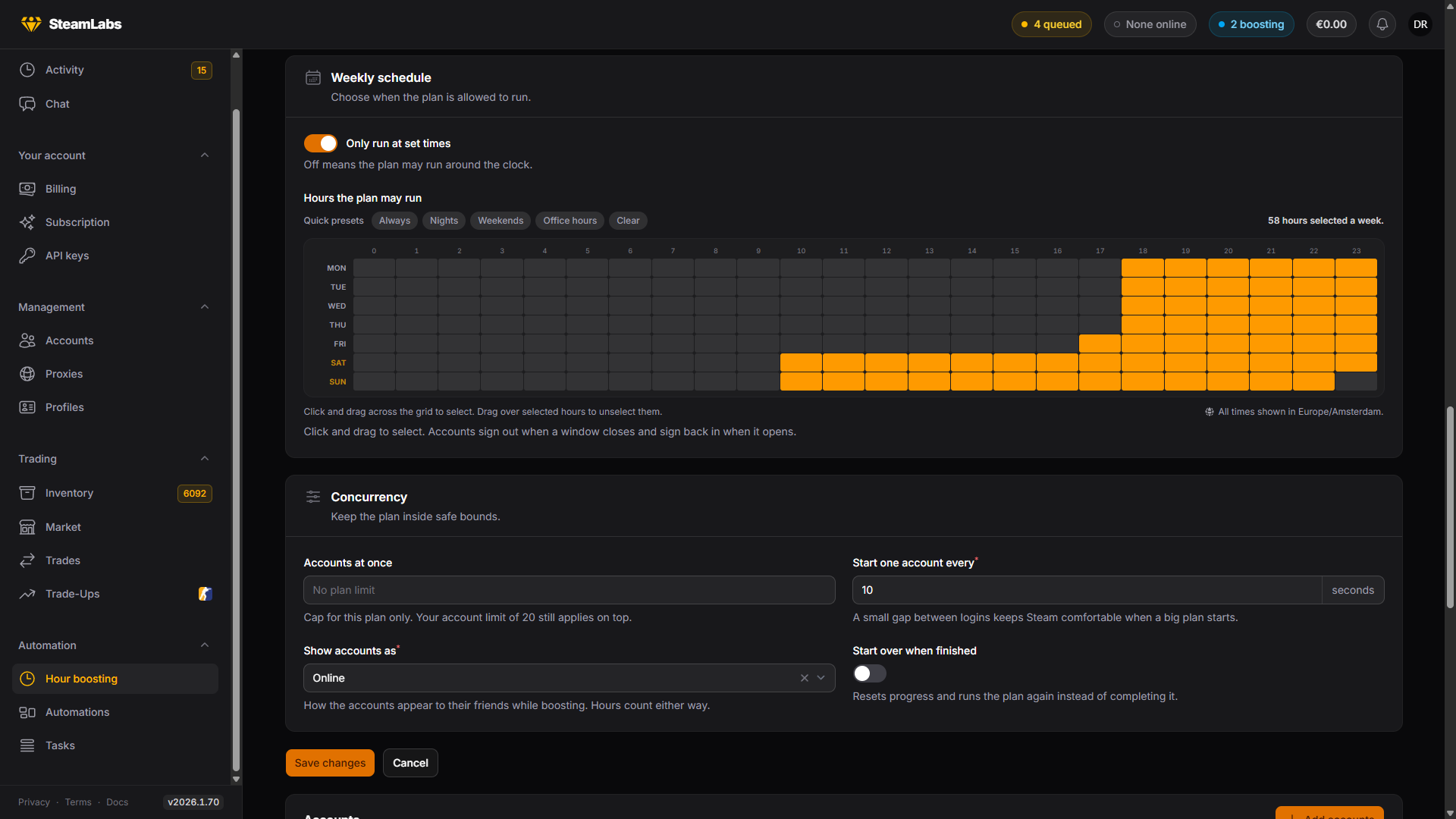
Only run at set times turns on the weekly grid. Click and drag across it to select whole hours, and drag over selected hours to clear them. Presets cover always, nights, weekends and office hours.

The grid is in your timezone, shown above it. When a window closes, accounts sign out and keep their progress. When the next window opens, they sign back in on their own.
Leaving the schedule off means the plan may run around the clock.
Limits
Accounts at once caps this plan alone. It never raises your account-wide ceiling, it only makes one plan gentler than it is allowed to be. Leave it empty for no per-plan cap.
Start one account every puts a gap between logins, five seconds by default. A big plan starting all at once is a burst of Steam logins from your proxies, and the stagger is what keeps that comfortable.
Start over when finished resets every account's progress on completion and runs the plan again, instead of parking it as completed.
Attaching accounts and starting
A new plan is a draft holding no accounts. Open it and use Add accounts to attach them, then press Start.
Accounts already on another plan are skipped rather than refused, and the notification tells you how many. A plan with no games or no accounts cannot start, and says which is missing.