Skip to content
SteamLabs Docs

Automations

Overview

Build multi-step account flows on a canvas, then let them run on a trigger.

An automation is a flow you draw on a canvas: something starts it, a set of accounts travels through it, and each step does something to the accounts that reach it. Automations sits in the Automation group.

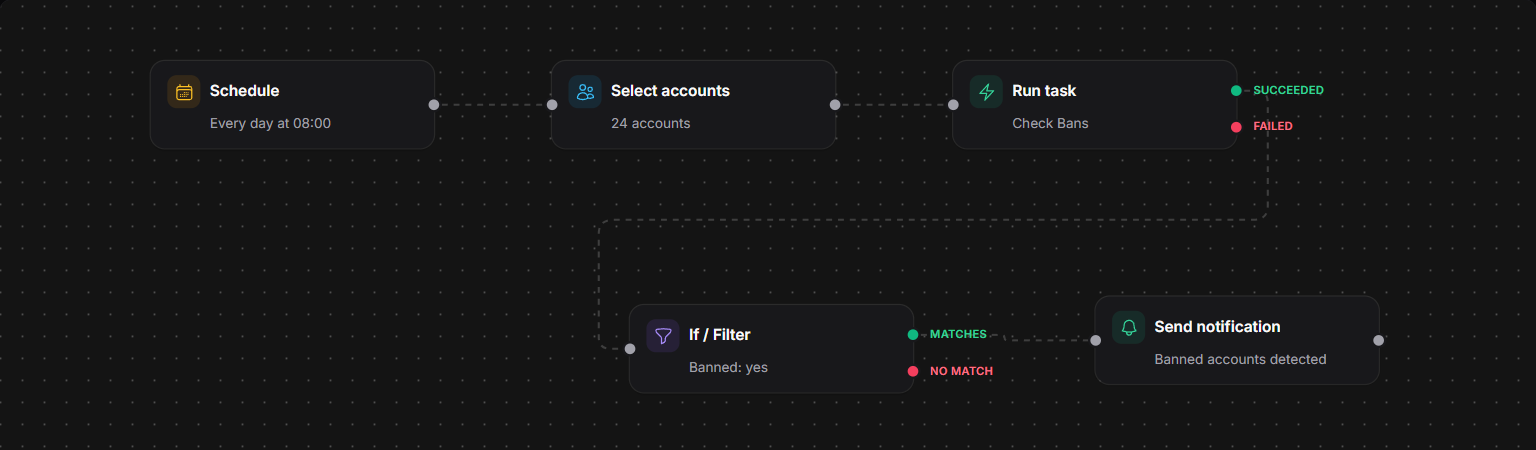
An automation on the canvas
Every morning, check 24 accounts for bans and tell me about the ones that come back banned.

Use it for the work you would otherwise do by hand every week: refresh details on a schedule, check for bans and alert yourself, sweep drops from farm accounts into a receiver, onboard newly added accounts.

How a run works

Every automation starts with a trigger. When it fires, a run begins and accounts flow forward through the connected steps.

The important idea is that accounts travel the graph. A step acts on whatever reached it, not on your whole workspace. A filter splits the accounts in two and sends each group down its own branch, so the accounts arriving at the end of one branch are only the ones that matched every condition on the way.

Steps do not all finish instantly. A Run task step creates tasks and holds the run until they finish, then sends the accounts whose tasks succeeded down one branch and the ones that failed down another. A Wait step parks its branch for a set duration. While that happens the run sits in Waiting and resumes on its own.

Statuses

Status Meaning
Draft Being built. Nothing runs
Active The trigger is live
Paused Held. The trigger does not fire

A new automation is a draft, and nothing you build runs until you activate it. If the flow has a problem (no trigger, a loop, a step missing required settings), the builder highlights it and refuses to activate until it is fixed.

Runs

Run status Meaning
Running Working through the steps
Waiting Parked on a wait, or on tasks that have not finished
Completed Reached the end of every branch
Failed A step errored
Cancelled You cancelled it

Runs on an automation is its history: when each run was triggered, how long it took, and what each step did, including how many accounts came in, how a filter split them, and how many tasks were created and completed.

You can also replay a run on the canvas, which shows the path it actually took through your flow.

The builder

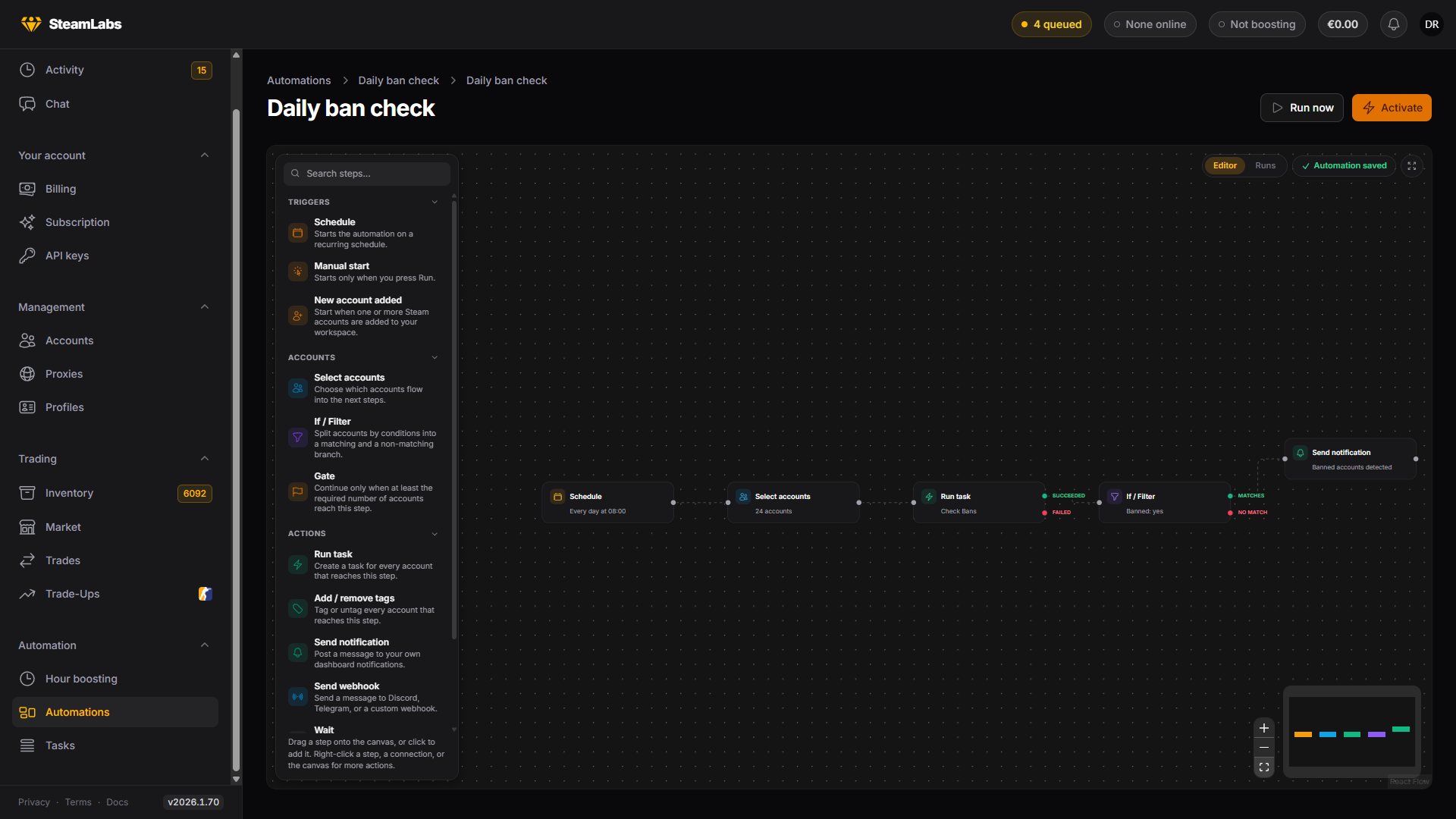
The automation builder
A five-step flow: a schedule picks the accounts, a ban check runs on them, and the ones that come back banned reach a notification.

Drag a step from the palette onto the canvas, or click to add it. Connect steps by dragging from an output handle to the next step. Right-click a step, a connection, or the canvas for the rest: duplicate, disconnect, insert a step in the middle of a connection, remove.

Note is a sticky note in five colours. It never runs, it is there to explain the flow to whoever opens it next, including you in three months.

Run now starts a run by hand, which is the fastest way to test what you have built. An automation whose only trigger starts on its own cannot be run this way, and the button says so.

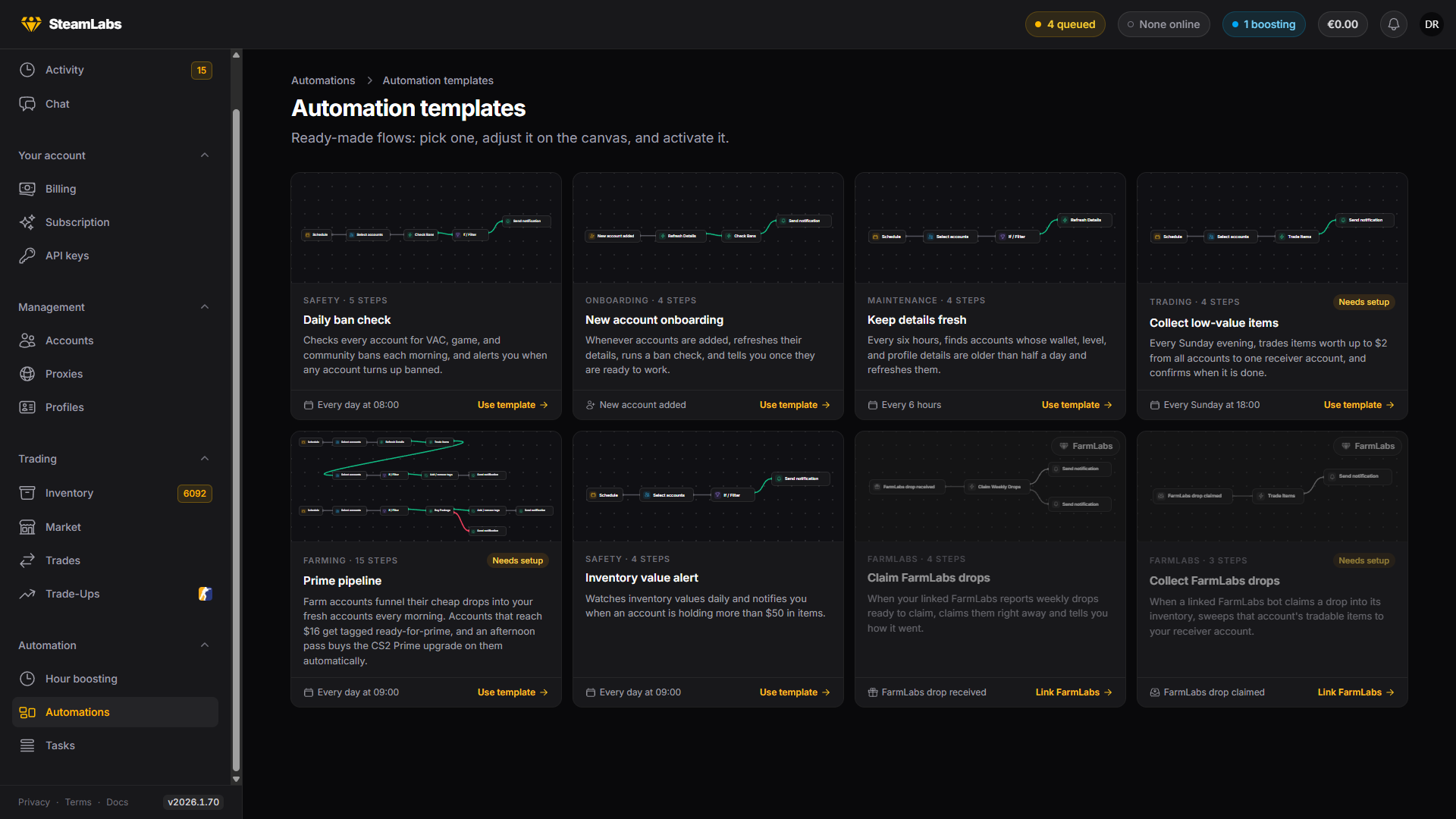
The automation templates gallery
Each template previews its own canvas. The ones marked Needs setup have a step or two to finish before they can run.